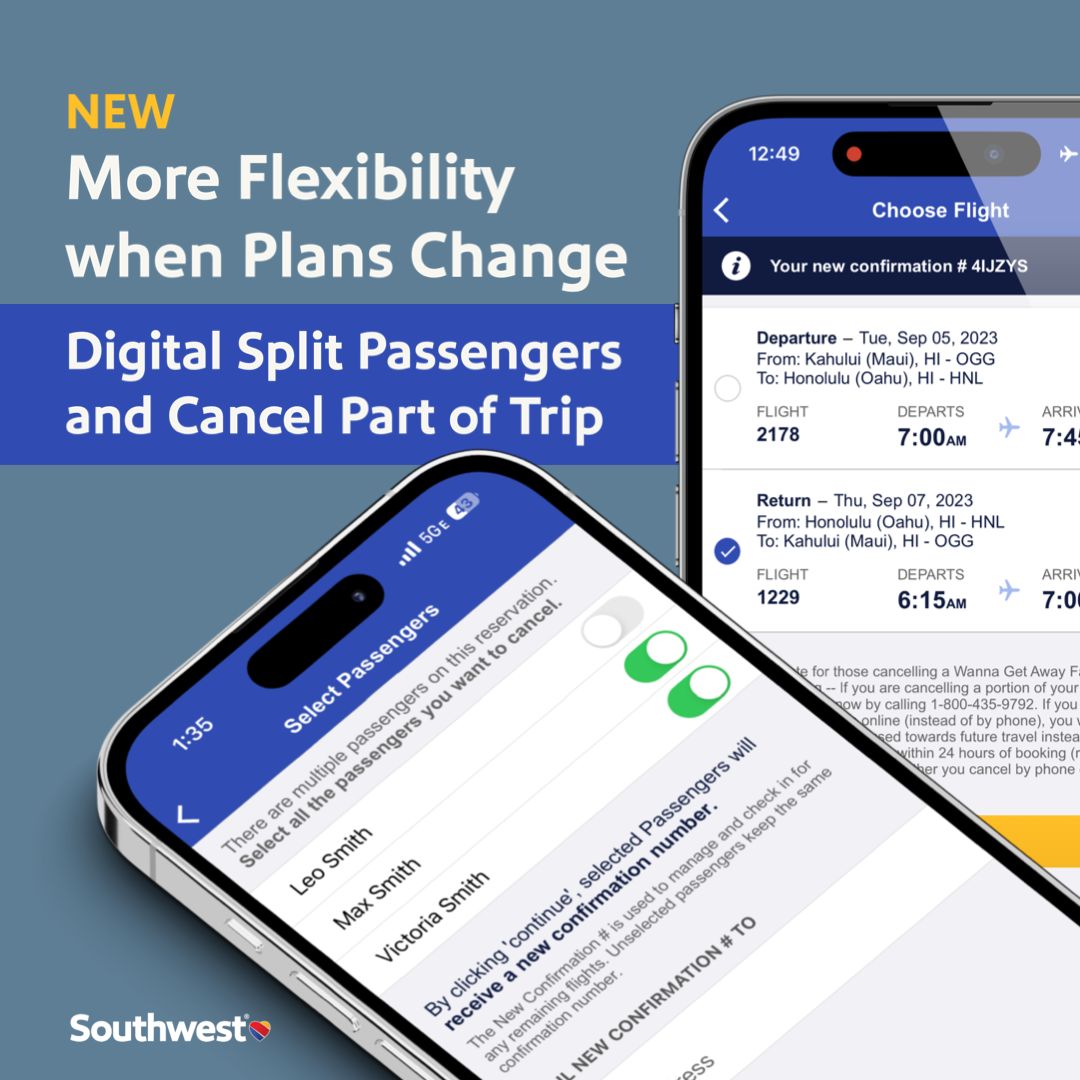
Digital Split Passengers
Under my leadership, the Digital Experience team launched Split Passenger functionality, giving customers more flexibility to manage their trips digitally.
The Feature
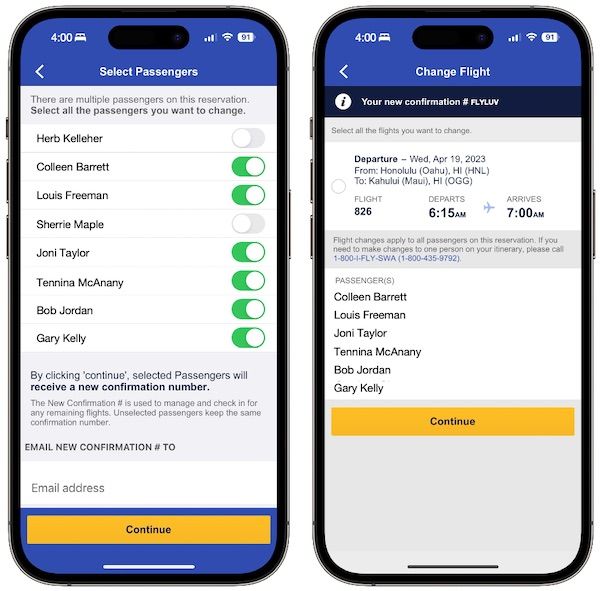
When travel plans change, customers can now easily select specific passengers for a change or cancellation. Those passengers who need to make a change get “split off” into a new reservation, while other passengers remain on the existing trip.
How It Works
- Access Manage Reservation in the app or on Southwest.com
- Select the passengers who need to make a change
- Complete the change for selected passengers only
- Original passengers stay on their existing trip
No phone calls needed. Works on the vast majority of dollar and points-based bookings.
Related Improvements
Cancel Part of a Trip
Customers can also take advantage of our existing “Cancel Part of a Trip” feature. Simply select a portion of your round-trip itinerary to cancel, and the unselected portion remains untouched.
Multiple Self-Service Rebookings
When trips are disrupted due to flight cancellations, our systems automatically rebook customers on the next best flight. If that doesn’t work for your schedule, most customers can rebook on their own.
Now, if the first change doesn’t suit your needs, for eligible trips you can make a second travel change on the Southwest app or website without needing to call.
Enhanced Chat Support
We’ve improved our chat handling experience for Customer Representatives with better usability and reply performance—making it easier for us to help when you need support.
Customer Value
These features add up to significant time savings:
- No waiting on hold for simple changes
- Flexibility to manage group travel when plans diverge
- Self-service options for disrupted travel
- Better support when you do need to chat with us
Team Recognition
A huge shout-out to all the Southwest teams and partners who worked hard to bring these capabilities to life, making travel even easier for our customers.
Traveling with friends and someone needs to get home early? Now you can split passengers digitally—no phone call needed.