iMessage Flight Status Sharing
My team launched a helpful and fun feature: the Southwest iMessage app for trip sharing.
How It Works
iOS users can easily share trip information via iMessage:
- Look for the Southwest app icon when sending a message
- Or tap the (…) at the end to find it
- Tap your upcoming trip to share it
- Recipients without the app get an option to download it
Features
The iMessage integration includes:
- Trip sharing - Send your upcoming trip details
- Flight status - Share recent flight status searches
- Digital stickers - Fun Southwest-themed stickers for your messages
Customer Value
This saves time and makes it easy to keep family and friends informed about your travel plans. No more typing out flight details—just tap and share.
What’s Next
We’re exploring how to bring similar features to Android users in the future, ensuring all customers can benefit from easy trip sharing.
Easily send upcoming trip details or flight status to other iMessage users—plus fun Southwest digital stickers.
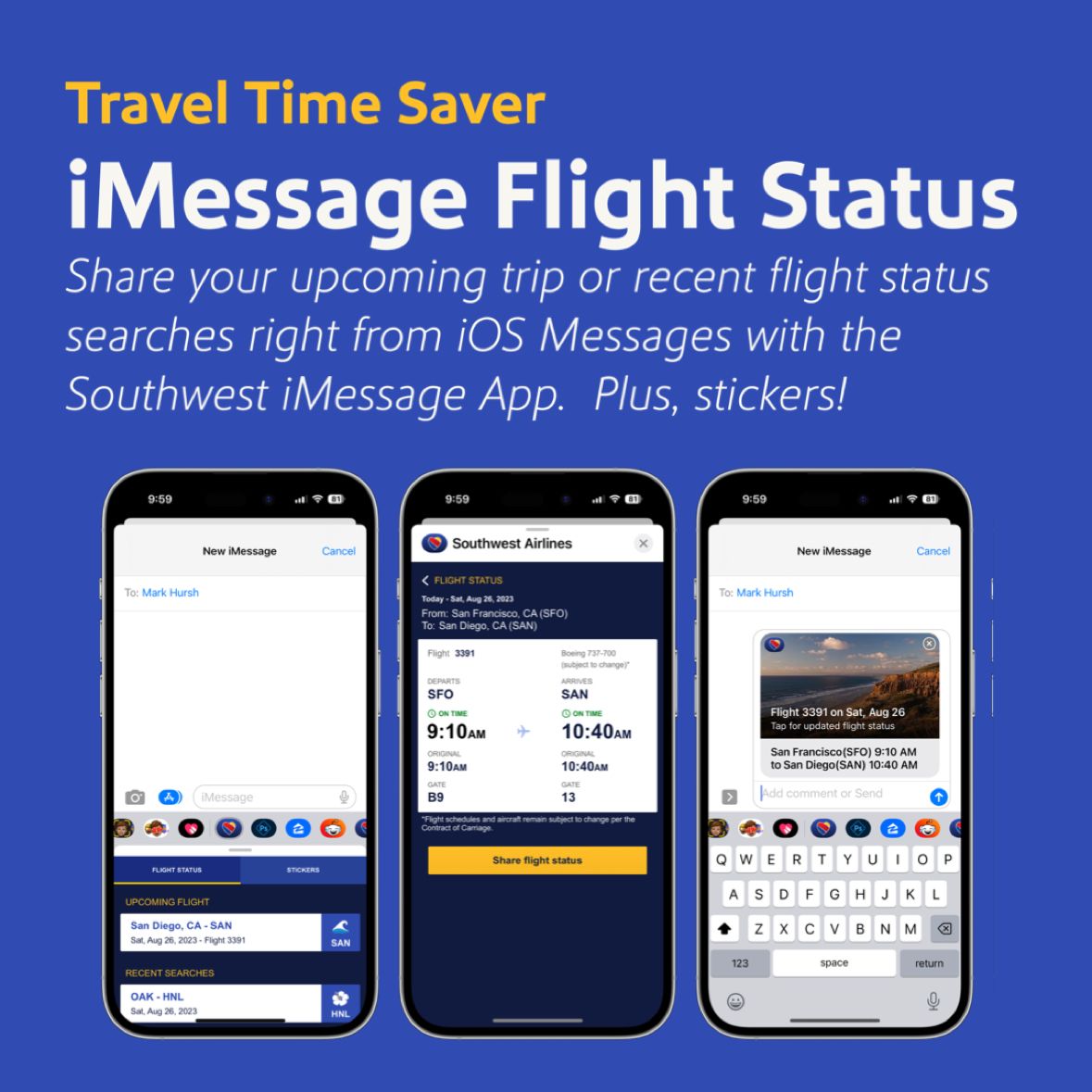
Share trip details via iMessage